# Sentry Session Replay
[](https://www.npmjs.com/package/@sentry/replay)
[](https://www.npmjs.com/package/@sentry/replay)
[](https://www.npmjs.com/package/@sentry/replay)
**Note: Session Replay is currently in beta.** Functionality may change outside of major version bumps - while we try our best to avoid any breaking changes, semver cannot be guaranteed before Replay is out of beta. You can find more information about upgrading in [MIGRATION.md](./MIGRATION.md).
## Pre-requisites
For the sentry-replay integration to work, you must have the [Sentry browser SDK package](https://www.npmjs.com/package/@sentry/browser), or an equivalent framework SDK (e.g. [@sentry/react](https://www.npmjs.com/package/@sentry/react)) installed. The minimum version required for the SDK is `7.24.0`.
Make sure to use the exact same version of `@sentry/replay` as your other Sentry package(s), e.g. `@sentry/browser` or `@sentry/react`.
`@sentry/replay` requires Node 12+, and browsers newer than IE11.
## Installation
Install the Replay package with NPM or your favourite package manager. Alternatively, you can load the Replay integration via a [CDN bundle](#loading-replay-as-a-cdn-bundle).
with npm:
```shell
npm install --save @sentry/browser @sentry/replay
```
with yarn:
```shell
yarn add @sentry/browser @sentry/replay
```
## Setup
To set up the integration, add the following to your Sentry initialization. Several options are supported and passable via the integration constructor.
See the [configuration section](#configuration) below for more details.
```javascript
import * as Sentry from '@sentry/browser';
import { Replay } from '@sentry/replay';
Sentry.init({
dsn: '__DSN__',
// This sets the sample rate to be 10%. You may want this to be 100% while
// in development and sample at a lower rate in production
replaysSessionSampleRate: 0.1,
// If the entire session is not sampled, use the below sample rate to sample
// sessions when an error occurs.
replaysOnErrorSampleRate: 1.0,
integrations: [
new Replay({
// Additional SDK configuration goes in here, for example:
maskAllText: true,
blockAllMedia: true
// See below for all available options
})
],
// ...
});
```
### Identifying Users
If you have only followed the above instructions to setup session replays, you will only see IP addresses in Sentry's UI. In order to associate a user identity to a session replay, use [`setUser`](https://docs.sentry.io/platforms/javascript/enriching-events/identify-user/).
```javascript
import * as Sentry from "@sentry/browser";
Sentry.setUser({ email: "jane.doe@example.com" });
```
### Start and Stop Recording
Replay recording only starts automatically when it is included in the `integrations` key when calling `Sentry.init`. Otherwise you can initialize the plugin and manually call the `start()` method on the integration instance. To stop recording you can call the `stop()`.
```javascript
const replay = new Replay(); // This will *NOT* begin recording replays
replay.start(); // Start recording
replay.stop(); // Stop recording
```
## Loading Replay as a CDN Bundle
As an alternative to the NPM package, you can load the Replay integration bundle from our CDN.
Note that the Replay bundle **only contains the Replay integration** and not the entire Sentry SDK.
You have to add it in addition to the Sentry Browser SDK bundle:
```js
// Browser SDK bundle
// Replay integration bundle
// Add Sentry.Integrations.Replay to your Sentry.init call
Sentry.init({
// This sets the sample rate to be 10%. You may want this to be 100% while
// in development and sample at a lower rate in production
replaysSessionSampleRate: 0.1,
// If the entire session is not sampled, use the below sample rate to sample
// sessions when an error occurs.
replaysOnErrorSampleRate: 1.0,
dsn: '__DSN__',
integrations: [new Sentry.Integrations.Replay()],
});
```
The Replay initilialization [configuration](#configuration) options are identical to the options of the NPM package.
Please visit our [CDN bundle docs](https://docs.sentry.io/platforms/javascript/install/cdn/#available-bundles) to get the correct `integrity` checksums for your version.
Note that the two bundle versions always have to match.
## Sessions
A session starts when the Session Replay SDK is first loaded and initialized. The session will continue until 5 minutes passes without any user interactions[^1] with the application *OR* until a maximum of 30 minutes have elapsed. Closing the browser tab will end the session immediately according to the rules for [SessionStorage](https://developer.mozilla.org/en-US/docs/Web/API/Window/sessionStorage).
[^1]: An 'interaction' refers to either a mouse click or a browser navigation event.
### Replay Captures Only on Errors
Alternatively, rather than recording an entire session, you can capture a replay only when an error occurs. In this case, the integration will buffer up to one minute worth of events prior to the error being thrown. It will continue to record the session following the rules above regarding session life and activity. Read the [sampling](#Sampling) section for configuration options.
## Sampling
Sampling allows you to control how much of your website's traffic will result in a Session Replay. There are two sample rates you can adjust to get the replays more relevant to your interests:
- `replaysSessionSampleRate` - The sample rate for replays that begin recording immediately and last the entirety of the user's session.
- `replaysOnErrorSampleRate` - The sample rate for replays that are recorded when an error happens. This type of replay will record up to a minute of events prior to the error and continue recording until the session ends.
Sampling occurs when the session is first started. `replaysSessionSampleRate` is evaluated first. If it is sampled, then the replay recording begins. Otherwise, `replaysOnErrorSampleRate` is evaluated and if it is sampled, the integration will begin buffering the replay and will only upload a replay to Sentry when an error occurs. The remainder of the replay will behave similarly to a whole-session replay.
## Configuration
### SDK Configuration
The following options can be configured on the root level of your browser-based Sentry SDK, in `init({})`:
| key | type | default | description |
| ------------------- | ------- | ------- | ----------------------------------------------------------------------------------------------------------------------------------------------------------------------------------------------------------------------------- |
| replaysSessionSampleRate | number | `0.1` | The sample rate for replays that begin recording immediately and last the entirety of the user's session. 1.0 will collect all replays, 0 will collect no replays. |
| replaysOnErrorSampleRate | number | `1.0` |The sample rate for replays that are recorded when an error happens. This type of replay will record up to a minute of events prior to the error and continue recording until the session ends. 1.0 capturing all sessions with an error, and 0 capturing none.
### General Integration Configuration
The following options can be configured as options to the integration, in `new Replay({})`:
| key | type | default | description |
| ------------------- | ------- | ------- | ----------------------------------------------------------------------------------------------------------------------------------------------------------------------------------------------------------------------------- |
| stickySession | boolean | `true` | Keep track of the user across page loads. Note a single user using multiple tabs will result in multiple sessions. Closing a tab will result in the session being closed as well. |
### Privacy Configuration
The following options can be configured as options to the integration, in `new Replay({})`:
| key | type | default | description |
| ---------------- | ------------------------ | ----------------------------------- | --------------------------------------------------------------------------------------------------------------------------------------------------------------------------------------------------- |
| maskAllText | boolean | `true` | Mask _all_ text content. Will pass text content through `maskTextFn` before sending to server. |
| blockAllMedia | boolean | `true` | Block _all_ media elements (`img, svg, video, object, picture, embed, map, audio`)
| maskTextFn | (text: string) => string | `(text) => '*'.repeat(text.length)` | Function to customize how text content is masked before sending to server. By default, masks text with `*`. |
| maskAllInputs | boolean | `true` | Mask values of `` elements. Passes input values through `maskInputFn` before sending to server. |
| maskInputOptions | Record | `{ password: true }` | Customize which inputs `type` to mask. Available `` types: `color, date, datetime-local, email, month, number, range, search, tel, text, time, url, week, textarea, select, password`. |
| maskInputFn | (text: string) => string | `(text) => '*'.repeat(text.length)` | Function to customize how form input values are masked before sending to server. By default, masks values with `*`. |
| blockClass | string \| RegExp | `'sentry-block'` | Redact all elements that match the class name. See [privacy](#blocking) section for an example. |
| blockSelector | string | `'[data-sentry-block]'` | Redact all elements that match the DOM selector. See [privacy](#blocking) section for an example. |
| ignoreClass | string \| RegExp | `'sentry-ignore'` | Ignores all events on the matching input field. See [privacy](#ignoring) section for an example. |
| maskTextClass | string \| RegExp | `'sentry-mask'` | Mask all elements that match the class name. See [privacy](#masking) section for an example. |
| maskTextSelector | string | `undefined` | Mask all elements that match the given DOM selector. See [privacy](#masking) section for an example. |
### Optimization Configuration
The following options can be configured as options to the integration, in `new Replay({})`:
| key | type | default | description |
| ---------------- | ----------------------- | ------- | ---------------------------------------------------------------------------------------------------------------------------------------------------------------------------------------------------------------------------- |
| collectFonts | boolean | `false` | Should collect fonts used on the website |
| inlineImages | boolean | `false` | Should inline `` content |
| inlineStylesheet | boolean | `true` | Should inline stylesheets used in the recording |
### rrweb Configuration
In addition to the options described above, you can also directly pass configuration to [rrweb](https://github.com/rrweb-io/rrweb/blob/rrweb%401.1.3/guide.md), which is the underlying library used to make the recordings:
```js
new Replay({
// any further configuration here is passed directly to rrweb
});
```
## Privacy
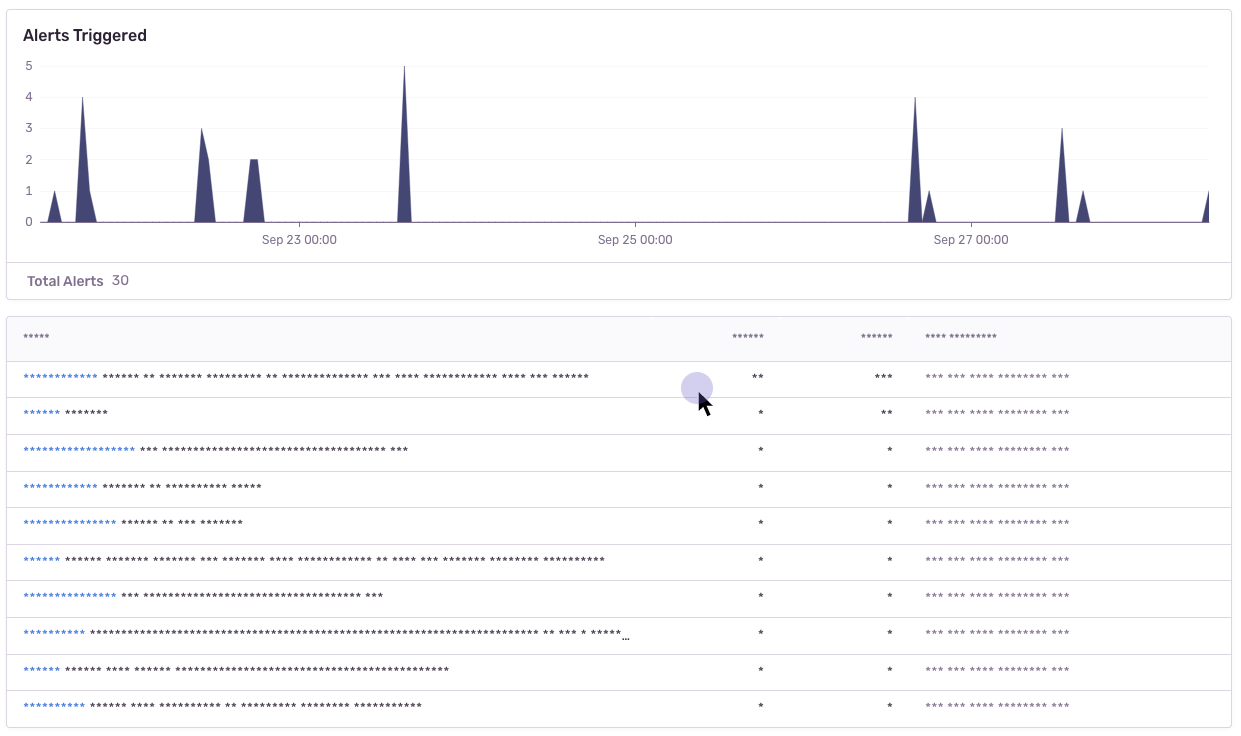
There are several ways to deal with PII. By default, the integration will mask all text content with `*` and block all media elements (`img, svg, video, object, picture, embed, map, audio`). This can be disabled by setting `maskAllText` to `false`. It is also possible to add the following CSS classes to specific DOM elements to prevent recording its contents: `sentry-block`, `sentry-ignore`, and `sentry-mask`. The following sections will show examples of how content is handled by the differing methods.
### Masking
Masking replaces the text content with something else. The default masking behavior is to replace each character with a `*`. In this example the relevant html code is: `
...
`.
### Blocking
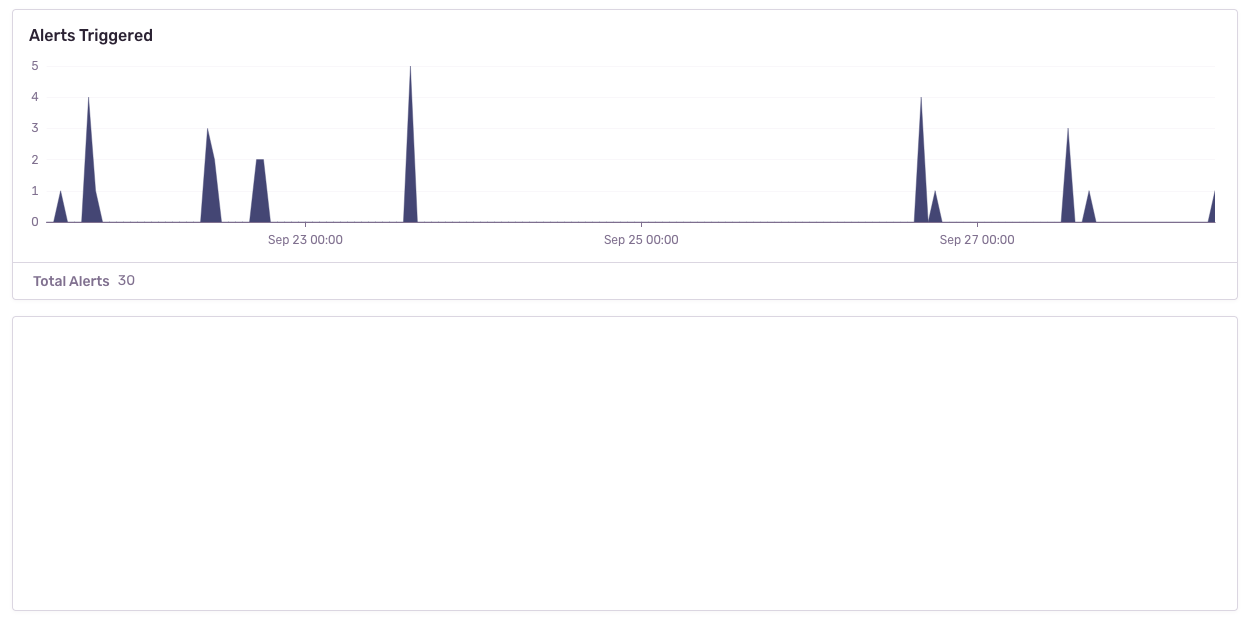
Blocking replaces the element with a placeholder that has the same dimensions. The recording will show an empty space where the content was. In this example the relevant html code is: `
...
`.
### Ignoring
Ignoring only applies to form inputs. Events will be ignored on the input element so that the replay does not show what occurs inside of the input. In the below example, notice how the results in the table below the input changes, but no text is visible in the input.
https://user-images.githubusercontent.com/79684/192815134-a6451c3f-d3cb-455f-a699-7c3fe04d0a2e.mov
## Error Linking
Currently, errors that happen on the page while a replay is running are linked to the Replay,
making it as easy as possible to jump between related issues/replays.
However, please note that it is _possible_ that the error count reported on the Replay Detail page
does not match the actual errors that have been captured.
The reason for that is that errors _can_ be lost, e.g. a network request fails, or similar.
This should not happen to often, but be aware that it is theoretically possible.